Install Langflow on Kubernetes

How to install Langflow on Kubernetes with use of Helm

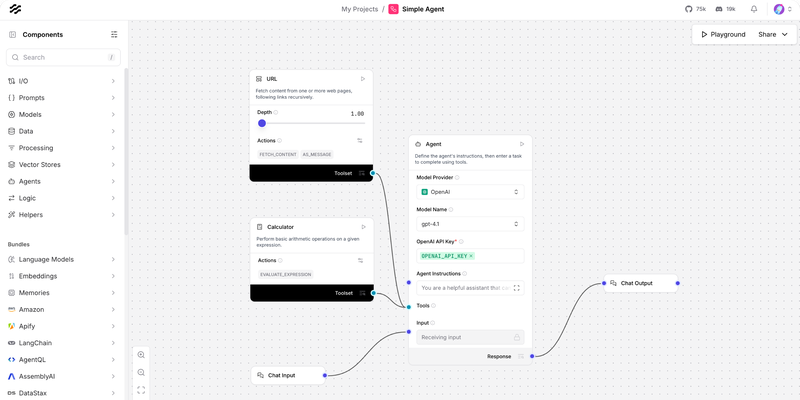
Langflow Build and deploy AI-powered agents and workflows Langflow screenshot

Langflow Build and deploy AI-powered agents and workflows

155,530 GitHub stars

How to Install Langflow on Kubernetes with Helm

This guide will walk you through the process of installing Langflow using Helm, the Kubernetes package manager, ensuring a smooth and efficient setup.

Prerequisites

Before we begin, ensure you have the following tools installed and configured:

  • Kubernetes - Installed locally or in a public cloud provider
  • kubectl - Configured to communicate with your Kubernetes cluster
  • Helm - For managing Kubernetes applications like Langflow
  • Kubernetes Ingress controller - For accessing the installation on a url

Step 1: Add the Helm chart repository

First, add the repository containing the Langflow helm chart:

helm repo add langflow https://langflow-ai.github.io/langflow-helm-charts
helm repo update
helm search repo langflow-ide

Step 2: Create a namespace (optional)

Isolating applications within Kubernetes namespaces is a good practice. To deploy Langflow in its own namespace:

kubectl create namespace langflow

Step 3: Install Langflow using Helm

Now, you'll install Langflow. The helm chart name is "langflow-ide":

helm install langflow langflow/langflow-ide --namespace langflow --create-namespace

Step 4: Verify the installation

After installation, verify that your Langflow deployment is running smoothly:

kubectl get pods --namespace langflow
kubectl get all --namespace langflow

Step 5: Customize the Langflow installation (optional)

This process may require customizing your deployment through a customized values.yaml file, which specifies configuration options.

helm install langflow langflow/langflow-ide --values values.yaml --namespace langflow

Step 6: Access Langflow

Accessing Langflow will depend on your chosen service configuration (LoadBalancer, NodePort, or Ingress). For Ingress access, ensure an Ingress controller is operational in your cluster.

Follow the instructions in the helm install notes, the output of Step 3.

We can install Langflow for you

Fully managed and 14 day free trial and 100% money back guarantee

Standard

€49 / month

Hosting
  • Private instance
  • Hosted in Amsterdam (EU)
  • Always up to date
  • 24/7 monitoring and logging
  • Redundant backups
  • Automatic backup export
  • Custom domain with SSL
Resources
  • 1 CPU & 2GB memory
  • 25GB storage
Support
  • Email support
  • Initial data migration
  • Standard SLA included
Start free trial

Premium

€99 / month

Hosting
  • Private instance
  • Hosted in Amsterdam (EU)
  • Always up to date
  • 24/7 monitoring and logging
  • Redundant backups
  • Automatic backup export
  • Custom domain with SSL
Resources
  • 2 CPU & 4GB memory
  • 100GB storage
Support
  • Live chat support
  • Initial data migration
  • Standard SLA included
Extras
  • Single Sign-On integrations
  • Custom plugins
Start free trial

Custom

starts at €199 / month

Hosting
  • Private instance
  • Hosted in Amsterdam (EU)
  • Always up to date
  • 24/7 monitoring and logging
  • Redundant backups
  • Automatic backup export
  • Custom domain with SSL
Resources
  • 3 CPU & 6GB memory
  • 200GB storage
Support
  • Phone support
  • Initial data migration
  • Standard SLA included
Extras
  • Single Sign-On integrations
  • Faster premium hardware
  • Custom plugins
  • Private networking
  • Your own cloud platform (BYOC)
  • Extra requirements
Contact us

Add-ons

Extra 1 CPU & 2GB memory 25 EUR per month
Extra 100GB storage (files, database, logs and backups) 25 EUR per month
Private networking, your own IP address or tunnels 25 EUR per month
Premium SLA: 99.95% uptime, 4-hour P1 response, 14 days of backups 99 EUR per month
Enterprise SLA: 99.99% uptime (multiple replicas), 2-hour P1 response 24/7, 30 days of backups 499 EUR per month

Annual Get 2 months for free, 17% discount on a yearly plan!

Monthly plans can be cancelled at any time, no commitment.